
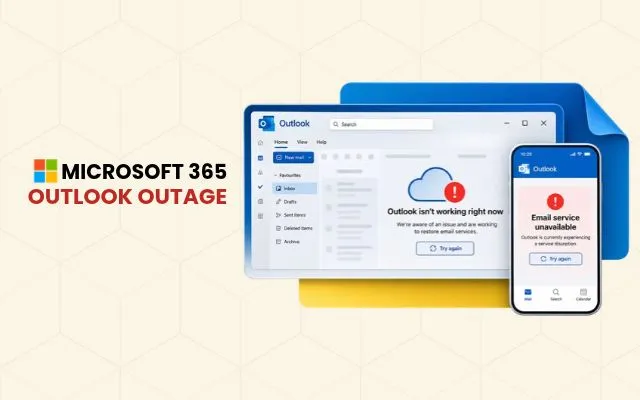
Microsoft Outlook and 365 Outage at a Glance
A Microsoft outage that began on 12 November 2026 (UTC) disrupted Exchange Online, the cloud email service behind Outlook, along with several connected Microsoft 365 services. Users and organisations worldwide reported difficulty accessing inboxes, sending emails and receiving messages. For any business that relies on one cloud email service for customer enquiries, internal coordination and daily operations, an outage like this can quickly interrupt communication.
What happened in the Microsoft outage?
Users reported problems accessing inboxes, sending emails and receiving messages. Microsoft’s service health updates pointed to infrastructure problems affecting Exchange Online servers across multiple regions. Affected servers became unavailable and pushed extra load onto the remaining infrastructure, while a process responsible for establishing secure connections became overwhelmed and stopped servers processing requests.
Users reported problems accessing inboxes, sending emails and receiving messages. Microsoft’s service health updates pointed to infrastructure problems affecting Exchange Online servers across multiple regions. Affected servers became unavailable and pushed extra load onto the remaining infrastructure, while a process responsible for establishing secure connections became overwhelmed and stopped servers processing requests.
Which Microsoft services were affected?
Outlook and Exchange Online were the most visible, but the disruption reached further:
• Microsoft Teams
Some calendar, meeting scheduling and organisation-specific chat features.
• Microsoft Copilot
Problems loading Copilot Chat or accessing work-related information.
• SharePoint
certain features that depend on Exchange Online.
• Microsoft Defender
Some portal features and link verification.
• Planner and To Do
Loading problems and operation failures.
Not every feature was affected. Microsoft reported that core Teams messaging and online meetings remained largely functional, and direct access to files in SharePoint Online continued to work.
Why does an email outage matter to security companies?
Security operations run on timely communication. Alarm-event notifications, incident reports, shift confirmations, site instructions and client escalations often travel by email, and a delay can leave clients without information when they need it most.
The outage highlighted the importance of maintaining alternative communication channels. Security companies that rely on email for customer updates and operational coordination may need phone-based escalation procedures to maintain contact during service interruptions.
How can security companies stay contactable during an email outage?
These are recommendations, not findings from the incident:
- Publish a phone-first escalation path. Keep operations and after-hours numbers on the website, LinkedIn profile and voicemail greeting.
- Use a second channel for urgent alerts. SMS or telephony-based dispatch keeps time-critical messages independent of email.
- Keep offline contact lists. Client, site and guard details should be accessible without Outlook.
- Prepare outage templates. Pre-approved wording for a website banner or social post saves time during an incident.
- Record events manually. Log incidents on paper or locally, then reconcile once email returns.
- Assign service monitoring. Nominate someone to check the Microsoft 365 Service Health Dashboard in the admin centre and relay updates.
Key takeaway
The November 2026 outage shows how heavily businesses depend on cloud communication. Security companies handle time-sensitive information, so a documented, tested backup channel is worth setting up before an outage, not during one. For confirmed recovery information, refer to Microsoft’s official service updates.
SecurityBlogs publishes practical insights for security, CCTV, alarm and monitoring businesses. Browse more articles to strengthen your communication and marketing.
Frequently Asked Questions
Was the Microsoft outage caused by a deliberate attack?
Reports attributed it to infrastructure and service availability problems, and Microsoft had not reported evidence of an attack at the time. It should not be described as a confirmed breach.
How can a security company keep clients informed when Outlook is down?
Use a phone-based escalation line, SMS or another non-email channel, and publish alternative contact numbers on the website and social profiles.
How can security companies prepare for future email outages?
Security companies can prepare by maintaining alternative communication channels, keeping offline contact lists, establishing phone-based escalation procedures and documenting backup processes for time-sensitive operations.
Sources and External References
- Microsoft Learn – How to Check Microsoft 365 Service Health
https://learn.microsoft.com/en-us/microsoft-365/enterprise/view-service-health - Microsoft 365 Service Health Status
https://status.cloud.microsoft/m365 - Microsoft 365 Admin Centre – Service Health
https://admin.microsoft.com (Admin sign-in required)
Leave a Reply