
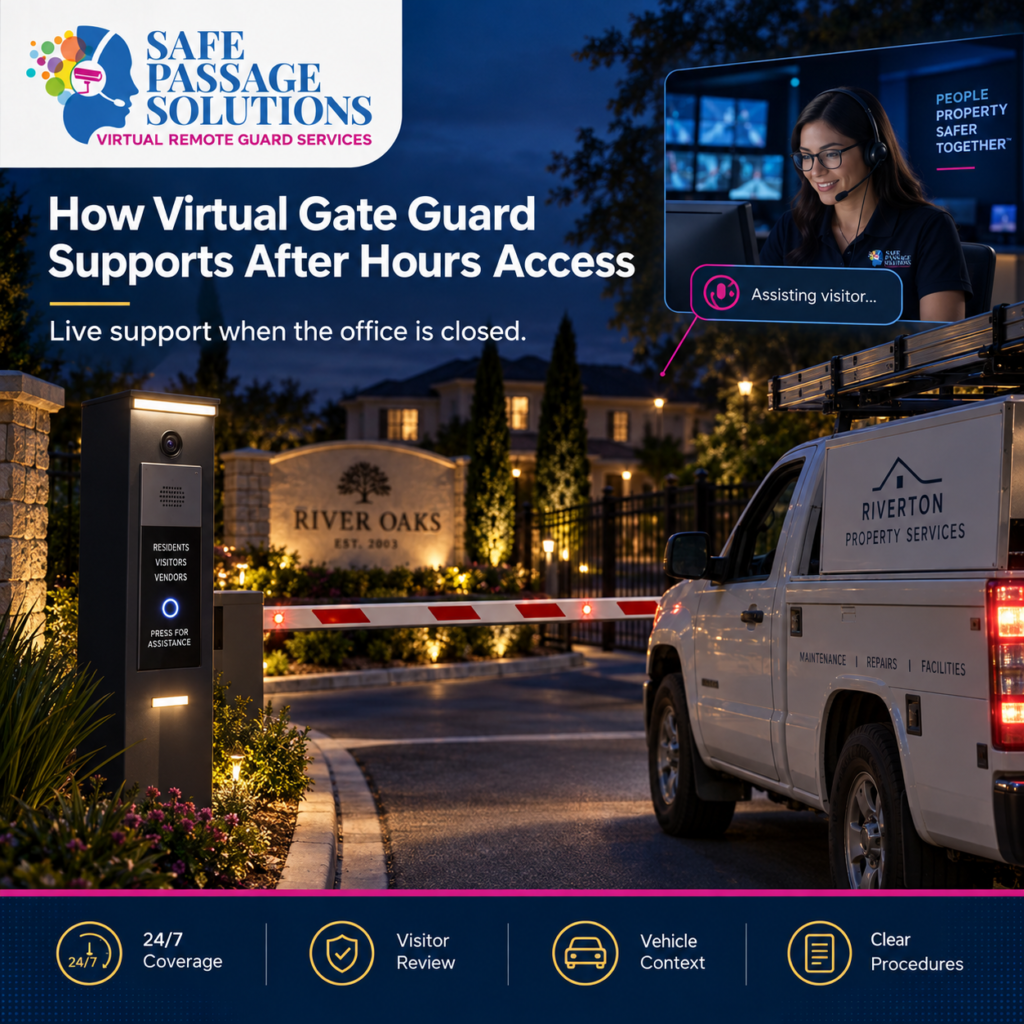
The management office may be closed, and the gatehouse may be unstaffed, but visitors can still arrive.
Residents may receive guests. Vendors may need access. Contractors may be completing scheduled work. Deliveries and service providers may also reach the property outside normal office hours.
This raises an important question:
How can a community manage gate activity when no one is physically onsite?
When the gatehouse is unattended, Virtual Gate Guard can provide the live support needed to keep visitor access moving. Through compatible gate technology, remote attendants can assist visitors while following the property’s established access procedures.
A Live Presence at the Gate
Virtual Gate Guard goes beyond automated gate controls. Safe Passage Solutions remote attendants can communicate with arriving visitors, review available information, and follow the community’s instructions when handling access requests.
Safe Passage Solutions remote attendants can communicate with arriving visitors without being physically stationed at the entrance.
Depending on the property setup, this may include:
Speaking with visitors
Reviewing available information
Confirming the purpose of the visit
Following approved instructions
Contacting authorized parties when required
Supporting selected access requests
Following escalation procedures
This gives the gate a live point of communication even when physical staffing is unavailable.
Access control works best when technology is supported by clear policies and procedures. ASIS International also notes that different visitor types, including contractors and temporary personnel, may require different access considerations.
Remote Coverage Depends on Accessible Information
Live communication is more useful when the remote attendant has enough context to understand the request.
Depending on the property, useful information may include:
Visitor name
Resident or property contact
Destination
Purpose of the visit
Expected arrival time
Company information
Vehicle details
Approved access instructions
Visitor Management can help organize these details before arrival.
This also reduces dependence on informal knowledge such as “the manager knows that contractor” or “that vendor usually comes on Thursdays.”
The important information should remain available even after the employee who originally received it has left.
Different Arrivals May Require Different Procedures
An unstaffed gate may still receive many types of visitors, including:
Resident guests
Vendors
Contractors
Delivery drivers
Service technicians
Maintenance providers
Caregivers
A resident guest may require confirmation from the resident, while a scheduled contractor may already have approved instructions.
Instead of using one rule for every arrival, communities should define appropriate procedures for different visitor categories.
Authorization Still Matters When the Gate Is Remote
Virtual Gate Guard provides remote support, but it does not eliminate the property’s authorization requirements.
The community should still define:
Who can authorize selected requests
What information must be confirmed
Which visitors may follow existing instructions
When additional verification is required
Who can make the next decision
The National Institute of Standards and Technology addresses similar principles in physical access control, including maintaining authorization information and verifying access before entry is granted.
Although NIST guidance is written for organizational facilities, the broader principle is useful for residential properties: authorization should be documented rather than based only on informal knowledge.
What Happens When a Request Cannot Be Confirmed?
Not every visitor request will match the information available.
Examples may include:
No matching visitor record
A different technician arriving
A changed vehicle
An expired arrival window
An unreachable resident
Missing property authorization
In these situations, Virtual Gate Guard can follow the property’s established exception and escalation procedures.
Depending on the community, the next step may involve:
Additional verification
Contacting a backup authorized person
Further review
Delaying the request
Another approved response
The remote attendant should not have to create a new rule at the gate.
The community should already define the response.
Virtual Gate Guard Can Help Maintain Continuity
One of the most useful aspects of Virtual Gate Guard is the ability to maintain live communication after physical staffing ends.
The daytime and after hours processes do not need to operate as completely separate systems.
Information entered earlier can remain available. Existing authorization procedures can continue to apply. Remote attendants can provide the live interaction needed to carry out those procedures.
The goal is continuity from daytime property operations into after hours gate activity.
When Virtual Gate Guard May Be Useful
A community may want to evaluate Virtual Gate Guard if it regularly experiences:
Periods when the gatehouse is unstaffed
Visitor activity outside normal office hours
Difficulty maintaining physical gate coverage
Frequent after hours calls to property staff
Visitors waiting for assistance
Vendors or contractors arriving after staff leave
A need for live communication without an onsite attendant
These situations may indicate that remote gate coverage could support the property’s existing process.
Remote Gate Coverage Checklist
Operational NeedWhat Should Be AvailableVisitor communicationA live point of contactVisitor informationOrganized and accessible recordsAuthorizationClear property proceduresVisitor categoriesDefined requirements by visitor typeBackup contactA secondary authorized contactUnresolved requestsA defined escalation processRemote coverageVirtual Gate Guard when appropriate
Frequently Asked Questions
Can Virtual Gate Guard operate without anyone onsite?
Yes. Depending on the property’s technology and configuration, remote attendants can provide live gate communication without being physically present at the entrance.
Is Virtual Gate Guard automated?
No. Virtual Gate Guard uses live remote attendants who communicate with visitors and follow the property’s approved procedures.
Can Virtual Gate Guard communicate with guests and vendors?
Yes. Remote attendants can communicate with arriving guests, vendors, contractors, and other visitors according to the property’s approved instructions.
Does Virtual Gate Guard make its own access rules?
No. The property establishes its authorization, verification, exception, and escalation procedures.
Can Visitor Management work with Virtual Gate Guard?
Yes. Visitor Management can help organize expected visitor information so it is available when an access request occurs.
What happens if nobody can confirm the request?
The request should follow the property’s established exception or escalation procedure.
Key Takeaways
Virtual Gate Guard can provide live communication when no one is physically onsite.
Remote coverage works best when visitor information and authorization rules are clearly documented.
Different visitor types may require different procedures.
Visitor Management can keep expected information available after normal office hours.
Unresolved requests should follow a defined escalation process.
Final Thoughts
An unstaffed entrance does not necessarily have to become an unmanaged entrance.
Virtual Gate Guard can provide a live remote point of communication while helping communities continue following their established access procedures after physical staffing ends.
HOA boards and property managers should review whether visitor information, authorization rules, backup contacts, and escalation procedures remain available when no one is onsite.
Safe Passage Solutions can help communities evaluate how Virtual Remote Guard and Visitor Management may support their gate operations.
Leave a Reply